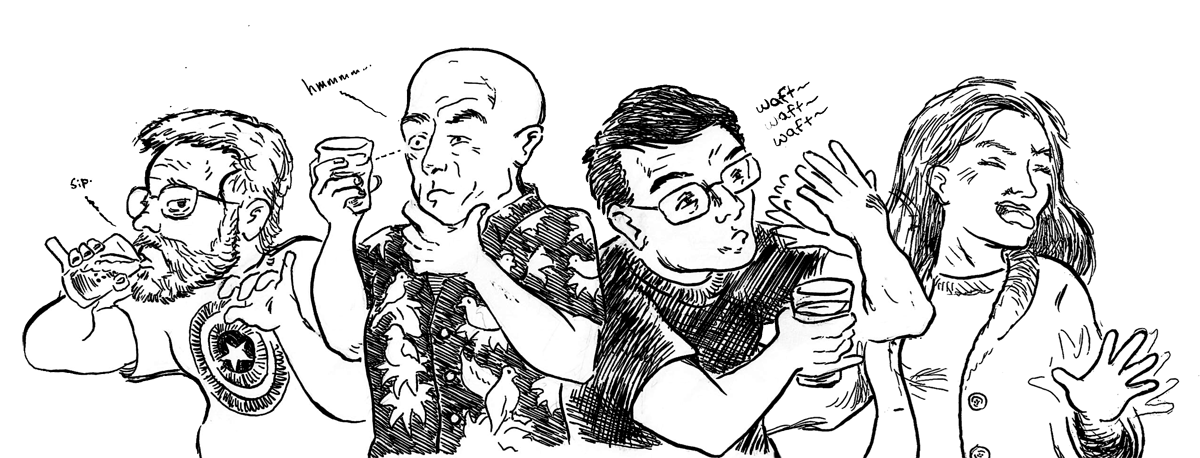

Spontaneous Combustion is so Hot....

Well, I thought it was funny...

Popmatic.com's new look

As you may have noticed, things are slowly coming together around here.  I think I may have finally settled on a look for popmatic.com.  It seems like I've been playing around with looks for months!  

The look is based (loosely, obviously) upon a page from the Doves Press Bible that I found in a book on design.  That "I" running the length of the page just struck me as simple and beautiful.  It wasn't hard to see how it could be used to delineate the borders of a webpage, and voila! 

Overall, I've been really pleased with how simple it has been to create themes with BlogEngine.net (which is the platform that runs this blog).  For anyone who has worked with ASP.NET Master Pages, the process should be fairly simple and intuitive.  A master page contains the basic structure of the page, and two web user controls (.ascx files) hold the interfaces for posts and comments. Best of all, this means that I still have access to code behind pages, so I can do all kinds of fun C# programming as the need arises...not that it has yet.  So far, the basic functionality of BE.Net has been enough.  It's true that the documentation is still a bit sparse, but I've seen it improve already in the two months since I've first started playing with it, so I'm sure it will continue to improve.

It may not have the maturity or the breadth of plug-ins and widgets that Wordpress has, but so far, BlogEngine.net has been a lot of fun. 

Neighborhood Fail

 I'm not trying to say anything bad about where I live, really...it's just that recently I've noticed some fairly odd things as I've been out walking the dog.

For instance, take this plaque, which is found in Carriage Place park, not far from my house:


...really nice, right?  Except:


And then, right around the corner is a billboard I passed the other day...I read it, drove past it and actually had to turn the car around to make sure it said what I thought it did:


That's right...it says "When it DOESN'T STAY in Vegas...Saia & Piatt Divorce Attorneys"

Crazy times, my friends!

Another Watchercast in the bag!

I'm not sure how many people actually know that I do a podcast.  I'm one of the three regulars on The Watchercast, an episode by episode review of Joss Whedon's Buffy the Vampire Slayer TV series.  Yeah, I know, geeky, right?  Still, it's a great show, and it's amazing how much there is to talk about from episode to episode.  I'm joined by my friend Jason and my wife Kathleen, who are the true Buffy scholars.  I'm the n00b of the group, who has only been through the series once.  Jason has watched each episode around five or six times, and Kathleen has watched each episode somewhere in the neighborhood of a Jillion-Billion times.  One for each person she has converted to the cult of Whedon.  Seriously, she's a Joss Whedon Typhoid Mary over here.  God bless her.

Anyway, we're getting to the good stuff now.  We recorded the episode that covers Surprise and Innocence....two of the most pivotal shows in the Buffy canon a few weeks ago, and we've quickly turned around the episodes for Phases and Bewitched, Bothered, and Bewildered...one every two weeks, which is the schedule we're shooting for.  If you like Buffy, give it a listen.  People seem to enjoy the show.

Getting a postback with a button on a ModalPopupExtender

I spent a little while today confused, and thought this would be worth posting.

I added my first modal popup window to an ASP.NET page today, and got some weird results. I was hoping that I could simply put a short form onto a modal window and have the submit button work like normal, which would be firing the onclick event and causing a postback, which would run the code in my code-behind page. Unfortunately, the example on the AJAX toolkit website explains how to set this all up nicely, but it is being used to call a javascript function, which required that NO postback be called so that the JavaScript can run on the client. It took me a while to figure out how to run server-side code instead.

Thankfully, I found the answer fairly quickly. The answer is to NOT set your "OK" button as the OkControlID. The button that you want to use to run your code-behind should not be referenced in the modalPopUpExtender at all.

In other words, your aspx page should look something like this:

<p>
<asp:LinkButton ID="lnkModal" runat="server">Click this to open the modal window</asp:LinkButton>
</p>
<asp:Panel ID="pnlPopup" runat="server" CssClass="modalForm" style="display:none;" >
<p>
Type your name here: <asp:TextBox ID="tbName" runat="server"></asp:TextBox>
</p>
</asp:Panel>

<ajaxToolkit:modalpopupextender
id="mdlExt"
runat="server"
BackgroundCssClass="modalBackground"
CancelControlID="btnCancel"
TargetControlId="lnkModal"
PopupControlID="pnlPopup">


And the btnOK button will fire this codebehind, which will display your message (not to mention dismiss the modal pop-up form!)

protected void btnOK_Click(object sender, EventArgs e)
{
lblMsg.Text = "Hello, " + tbName.Text + "!";
}


'AjaxToolKit is an unknown server tag' or my wasted, horrible Thursday.

Let me lead this post off with a disclaimer: while I've been working on .NET web apps for nearly a year, I still consider myself fairly green.  I've been able to accomplish quite a bit with a relatively small bag of tricks thus far, so take these tips and lessons learned with a grain boulder of salt.

 This week, I started some of the basic programming for a brand-spaking new website.  Very exciting time.  I always love this bit.  I get to see the site take shape, play with the lessons learned from the LAST website, maybe try a few new tricks...love it.  

 So, I'm making good progress with some of the underlying basic stuff, when I run into a problem that made me realize I wasn't going to be able to create the dev site on my local machine as I have in the past.  So, grudgingly, I copy the code that I had started and copy it onto a development server that I can access via a shared drive.

Once there, everything works just as it had on my local computer with one exception...the AJAX toolkit compontents aren't being recognized by Visual Web Developer.  I can still write the tags out by hand, and the page renders correctly when I pull it up in the browser, but if I try and compile or debug the code in VWD, it throws an error, which says that 'ajaxToolKit is an unknown server tag.'  I try and Google the error, but that pulls up thousands of pages with the same basic advice...make sure the toolkit is registered, check your bin folder to make sure the driver is there, yadda, yadda, yadda.  Unfortunately, all that was correct.  It was something else.

Finally, in desperation, I tried to re-import the toolkit components into VWD and got a useful error message...

Security Exception Description: The application attempted to perform an operation not allowed by the security policy. To grant this application the required permission please contact your system administrator or change the application's trust level in the configuration file.

Exception Details: System.Security.SecurityException: Security error. 

That finally led me to an article that explains that, when accessing code via a shared drive, it places that code outside of the "My_Computer_Zone code group", so VWD doesn't trust where the code is found.  To allow it to be accessed correctly, the remote share has to be given "FullTrust" user rights.  The article does a good job of explaining how to do this, though one word of caution...it mentions accessing the Mirosoft .NET Framework Configuration application.  Dont confuse that with the Mirosoft .NET 1.1 Framework Configuration app, since I imagine you, like myself, are using at least .NET 2.0.  The 1.1 Framework app is exactly what it sounds like, it configures settings for .NET 1.1, not 2.0.  Personally, I didn't have the control panel for .NET 2.0 listed, and just used the command line code supplied in the article.

Fun is in the eye of the masochist.